Showing posts with label Creativity. Show all posts

Monday, July 1, 2013

8 examples that show how much Belgian sport is doing great

News curation combined with mind mapping create new messages and provoke new feelings. Beyond information structure, a mind map is also a fantastic vehicle for emotions and social exchange Belgium is a small country in Europe but it has been extraordinary present all around the world during the month of June 2013, thanks to its champions in various sports. The belgian sport is doing great, especially these last weeks. However, considered isolated, each performance and its related news is just welcome but it is not as impressive as if you would put all of them together.

Wednesday, June 19, 2013

What if I don't like colors?

Using colors in mind maps is maybe useful but for some of you, it may have an opposite effect or simply, there is less interest. Anyway, do we always have a set of color pencils with us? This article will show you how to make your mind map branches unique even in black and white It is not uncommon to meet people who say they do not like or use colors in documents. No later than last week, a teacher called me for help because one of her students prefers to draw mind maps only in black. She tried to convince him to use colors, explaining him the benefits, but in vain.

Wednesday, April 3, 2013

Mind mapping and real world. Where is the boundary?

Discover a unique and creative map, filled with emotions and stories, made of real objects that evoke the Biggerplate Unplugged conference in ParisVisitez ici la version française du billet
After a long period of inactivity on the blog that I devoted to the creation of a non-profit association, I wanted to share with you a nice experience I recently lived in Paris with the « Biggerplate Unplugged Paris », a conference where I was invited to talk about mind mapping.

Tuesday, September 25, 2012

The Mind Mapping Team - Introduction

Young children will use mind mapping during an entire school year and I will share with you their evolution throughout their creations. September was the occasion to launch the initiative with a first workshop.After a well-deserved break and a radical change in my professional career, I'm back full of energy with even greater ideas for this academic year 2012-2013. I promise you a lot of creativity, efficiency and fun.

The big news this year is the establishment of a team of young students who accepted to get into the mind mapping and be followed throughout the entire school year. The goal is to analyse their interest in drawing mind maps, the evolution of their relationship with the school and their homework as well as the potential impact on their results.

These boys and girls attending various French speaking schools in Liège (Belgium) are aged from 6 to 13 years. They are now part of what I modestly called "The Mind Mapping Team (TMMT)". This dynamic team will make you discover, through the various lessons of the curriculum, how it is possible to learn better and faster all sorts of lessons thanks to a rather original way of representing information and knowledge.

In order to discover the pleasure and specificities of mind mapping, I organized a discovery workshop early September. I started with a playful approach to the exceptional performance of our brain and the importance of our five senses. Then they learned a few basic rules but important for effective mind maps (sheet orientation, central idea, branches and sub-branches, curves, keywords, colours, images ...). It was also an opportunity to outline a first map without content in order to domesticate this new octopus or spider, according to the interpretations. Finally, my goal (without knowing initially if it would be feasible) was to invite each participant to draw their first personal mind map and assist them during the process.

The Mind Mapping Team (TMMT) - September workshop
I must admit that I was bluffed by the early pencil strokes. Once overcome the initial apprehension about not drawing well enough, all seemed to have caught the main principle. For their first map, I suggested to think about a basic concept of their choice among "water", "nature" or "colors". The next step was then to place on the main branches words and ideas that come to their mind naturally and develop some of them further. Finally, they added some images. As you can discover on the gallery below, the result is quite encouraging.

Alexis - 11 y/o - First mind map about nature

Baptiste - 9 y/o - Mind map about colours

Corentin - 6 y/o - Mind map about water

Manon - 13 y/o - Mind map about water

Robin - 13 y/o - First mind map about colours

From now on, I will share with you on this blog the various experiences from the team members (and from other children on occasion) within their own living context. Throughout many type of activities such as learning a poem, making a speech, organizing a group activity, understanding the geometry, memorizing the geography, looking for ideas for a show, etc ... we will discover together how mind mapping will bring greater efficiency and pleasure in the preparation and execution of tasks.

You will discover and learn a lot by coming back from time to time and by following these new amazing human stories. Do not hesitate to subscribe to the RSS feed or via e-mail if you wish remained informed.

The Mind Mapping Team (TMMT) hopes to see you next time.
Be open minded!
Be creative!

Wednesday, August 1, 2012

Mind mapping in the nature

I would like to invite you with this article to create mind maps as naturally as possible. Looking at the beauty of nature, I discovered some elements that were shaped like mind maps. Is it a coincidence that some of the rules of mind mapping correspond with some of the laws of nature? Let me share with you a nice story about mind mapping in the nature.I would like to invite you with this article to create mind maps as naturally as possible. I’m hearing a lot about the creation process which is sometimes painful, with constraints that are not always understood or mastered. The reason why there is no section on this website about the rules is because I’m still investigating the reasoning and the limits behind each. We are facing constrains every minutes of our life in everything we are doing. On computers, we do not choose how we do things, we do the way the software tells us to do. The natural way to realize things do not mean much anymore. In mind mapping, some of the rules that may block you are in fact an invitation to escape from the conventional or framed way of thinking. Bash some educational barriers and behave more naturally, in harmony with your mind and the Nature. Look for freedom in your actions and decisions. Do not care too much about what others say about your maps. You will find mind mapping easier and pleasant, and therefore, more efficient.

In that context, let me tell you this nice story. Some days ago, I was enjoying a peaceful rest in my garden and I was appreciating the beauty of nature. I noticed that the dead tree was a bit like a piece of a mind map. A bit later, I saw a couple of weed roots which were also looking like mind maps. Looking for more of them, I found another one on a leaf of a tree ... It immediately made me think about this nice chat I had with Jean-Pascal CÔTE, one of my French peers in the mind mapping domain. Thanks to him, I discovered the notion of biomimicry or biomimetics. This is the examination of Nature, its models, systems, processes, and elements to emulate or take inspiration from in order to solve human problems (source Wikipedia). It’s really an interesting domain.

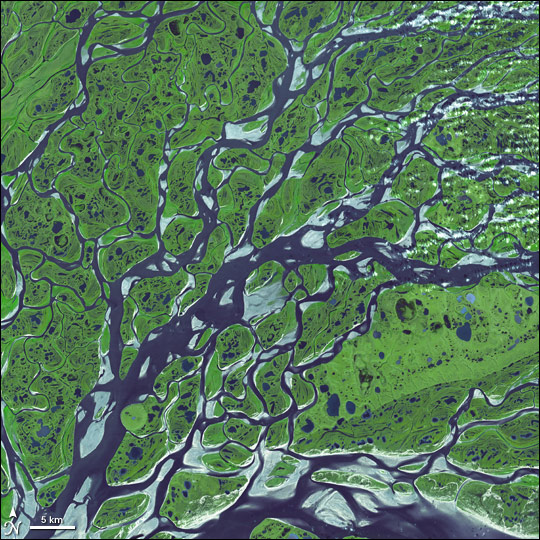
I was inspired by the topic and the relation I could established between some elements in the nature and the format of mind maps. I decided to create some representative examples that would illustrate my discovery. I took some photos that I used for drawing what I could call “natural” mind maps. In fact, I did not draw anything. I just put words on branches that were appearing naturally on my pictures. Here they are.
Mind map in the nature - Root example
Mind map in the nature - Leaf example
Mind map in the nature - Tree example
With the idea of biomimetics in the head and while making this unconventional artwork, I could not prevent myself from thinking about the similarities between the natural world and mind maps. It was very interesting to discover that actually some of the rules are also respected in the nature. Let’s have a look at some of them.

  • There is a clear origin: there is a starting point where all the energy is concentrated. It is not necessary located in the centre but it is definitely a root element from where other elements escape. 
  • Branches radiate: there is a clear first level of main branches (thickest) radiating from and around the origin (even if it is not always at 360 degree). 
  • Branches have sub-branches: there is a natural hierarchy structure that comes out from the element, with sub-branches appearing increasingly thin. 
  • There is no broken line: from the start to the deepest part of the element, everything is connected and creates a flow of energy. 
  • Branches are curved: don’t look for a straight line in the nature, you will not find any. Do you want to bet? There is not a single straight line on earth that has not been manufactured by the human race. 
  • The space is infinite: there is a vast space the nature can use to grow and expand. 
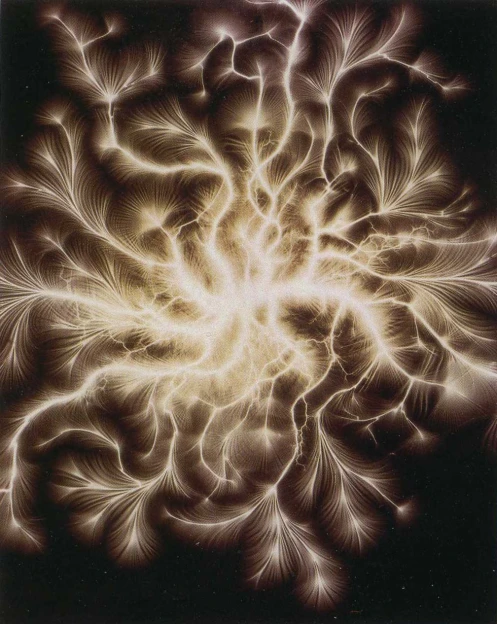
You can probably discover more of them and share your findings here. You can also think about other elements in the nature that are close to mind map structures. Here are some images that make me think about it.


Firework


Practically, if you want to add text on a nature mind map (e.g. an out-of-the-box creative presentations), you can use iMindMap, the mind map software tool. First import the image in the background. Then you can draw your mind map on top. Make sure you are using 3 different colours: one for the background, one for the branches (same for all) and one for the text font. Once your mind map is finish, remove the background image. The last step consists in taking a screenshot of your mind map and extracting the branch texts. You can achieve that with an image editor (e.g. GIMP) using the "select by colour" magic wand and copy the selection in the clipboard. Finally, you can superpose your text image over the background image in your presentation. Hope you have been inspired.

Be open-minded!
Be creative!

Wednesday, July 11, 2012

Am I drawing true mind maps ?

You will discover in this article several mind maps without an explicit central idea or main branches, especially one that details the characteristics of a stage of Tour de France. Although they are quite different from standards, I will explain to you why they are interesting and very inspiring.I have recently received a couple of feedbacks saying that some of my artworks are not really mind maps (see previous posts about Tour de France or Food Pyramid). But why some of my mind maps are triggering such a reaction? The answer is simply because there is no explicit central idea and/or main branches. The one I decided to share with you here details a specific stage of Tour de France 2012, the prestigious cycling race. And it may receive the same kind of comments once again.

This mind map is fully supported by iMindMap, the mind mapping software. I built it with a succession of branches representing the profile of the route (using freehand feature), linking the start and the finish towns. Although it is not explicitly appearing on the screen, the central idea is "Tour de France 2012 | Macon - Bellegarde stage". At the end of each branch, there is an opportunity to provide additional information with sub-branches (altitude, distance, location, climb characteristics, etc). From those points, you can imagine any kind of additional information (time estimation, race strategy, standings at the top of the hills, ...). The support is ready, mind mapping can happen.

Tour de France - Stage zoom - Mind map with iMindMap
My objective is not to debate here what a true mind map is or whether I’m respecting the rules. I have a rather personal and creative way of interpreting the notion of mind mapping. What is important is to provoke a paradigm shift in the way we are thinking and structuring the information in order to release the hidden potential of our mind. Of course, Tony Buzan and his approach remain for me one of the most inspiring references in the domain.
I’m probably one of the first who created mind maps that do not start from the centre (see How to create a tree with a mind map) or do not contain obvious main branches (see How to create a timeline with a mind map). Other mind mappers such as Hans Buskes or Patrick Zimbardo have recently produced nice out-of-the-box mind maps as well. They bring a great contribution in the domain. 


So why should I limit myself to draw mind maps that radiate only from a single and central point if I obtain interesting results with an extended approach? For example, this typical mind map about the brain (see picture) actually hides 2 basic ordering ideas (“Left” and “Right”) because of the central image. Note that although it may simplify the overall layout of the mind map or the generation of secondary level branches, it's also limiting the creation of new main ordering ideas (which could be an obstacle during the generative thinking process).


Thinking further, I can imagine starting a mind map with 3, 4, 5 or even more hidden main branches, either because they are implicitly expressed by the central image or because it makes the mind map more readable. Going even further, I can imagine that the central shape outline (triangle, square or more complex ones) is an open line or a curve that contains a couple of points from where I would like to start radiating and organising the information. The central idea and the main branches become invisible and implicit as shown on the figure here below.

In order to better illustrate the concept, I can give you a couple of practical examples:
  • Analyse and/or compare the offer of a triple-play provider

Provider offer mind map
  • Teach and discuss the main evolution of man on a timeline

Human evolution mind map
  • Present a product line-up

Product line-up mind map
And I let you imagine what could be:
  • Capturing, analysing and debriefing player performance on a basketball field 
  • Coach your rally champion about the characteristic of each curve of a rally race route 
  • Explain the water cycle phases from a nice 3D picture 
  • ...
Isn’t it the most important? RADIATING around a thought, a concept, a word, an idea, etc... and keep everything CONNECTED. Whether it is starting from the first level or deeper in the structure, we are still generating and connecting ideas and keywords together. Isn’t it the essence of mind mapping? I often hear that it is difficult to identify the main branches (Basic Ordering Ideas). An alternative is to consider them implicitly belonging to the centre of the map (and its image) or maybe not consider them at all in order to start directly at a deeper level.

This is what I do in some of my creative mind maps. This is an alternative way of benefiting from standard mind mapping with slightly different starting points. It could even help some of you to start to create a mind map more easily. An important success factor for an efficient mind map is the ability to articulate and connect some thoughts from where it’s then possible to develop the idea with further details. Approach the mind map structure a bit differently should allow you to keep applying this principle.
Be open minded! 
Be creative!

Thursday, June 28, 2012

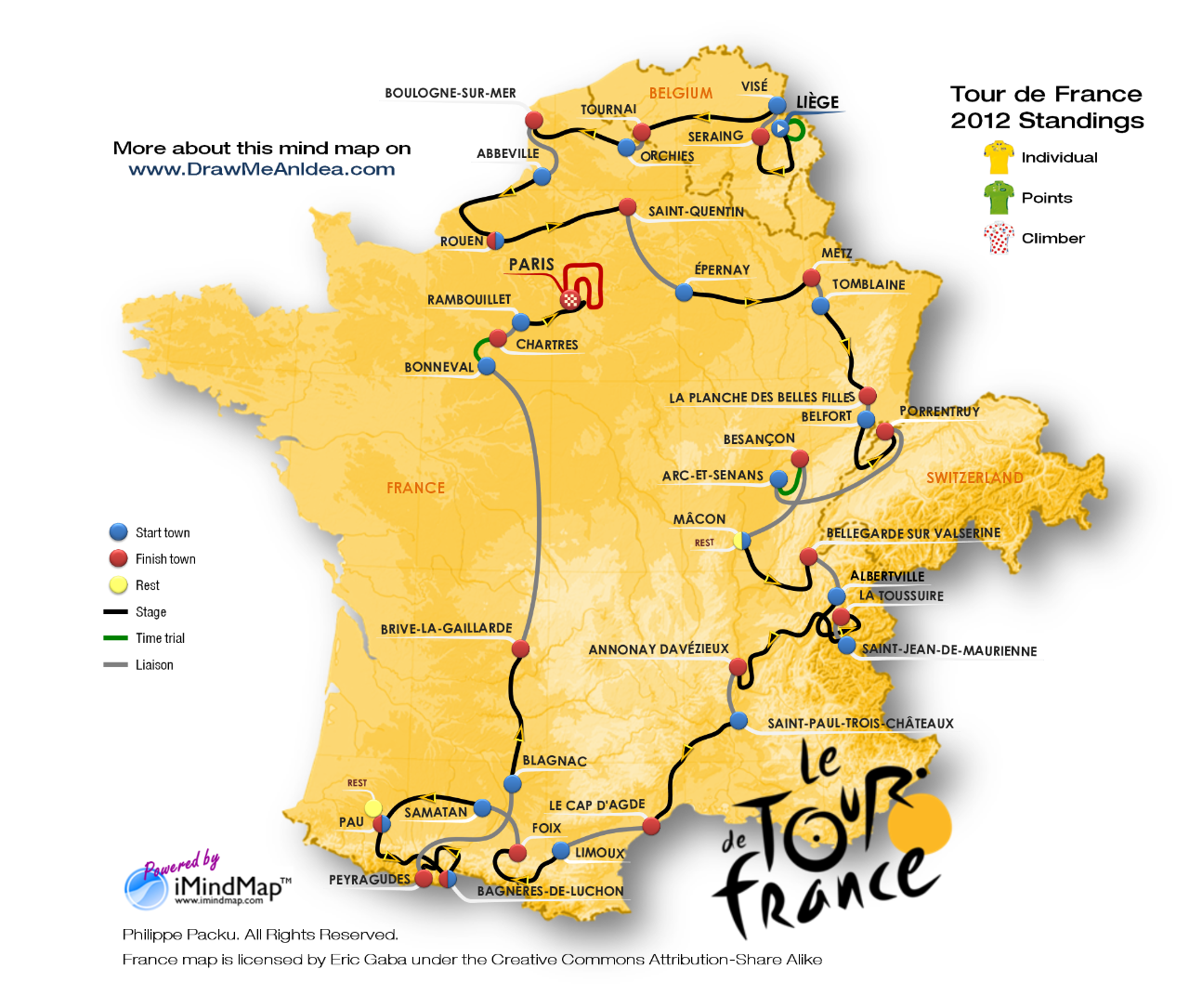
Tour de France 2012 - Interactive Mind Map

The Tour the France 2012 started on June 30th, from Liège in Belgium. Discover a new interactive map (of France) and creative mind maps detailing the characteristics of the stages. It combines the drawing flexibility of iMindMap software and the power of online tagging with ThingLink tool.
I'm living in the Province Liège (Belgium) which launches the 2012 Tour de France. It is with unfeigned delight and pride that, following up the success of 2004, the Province once again hosts the grand start of the Tour.

The Tour de France is an annual bicycle race held in France and nearby countries. As the best known and most prestigious of cycling's three "Grand Tours", the Tour de France attracts riders and teams from around the world. The race is broken into day-long segments, called stages. Individual times to finish each stage are aggregated to determine the overall winner at the end of the race. The course changes every year, but the race has always finished in Paris, along the Champs-Élysées (Wikipedia).

Running from Saturday June 30th to Sunday July 22th 2012, the 99th Tour de France will be made up of 1 prologue and 20 stages and will cover a total distance of 3,497 kilometres.

This important event taking place in my region is a new opportunity for me to use iMindMap and ThingLink tools in order to design an interactive map, and detailed mind maps for stages. Following Patrick Zimbardo's idea who used a mind map for giving results about EURO2012 football matches (see Patrick's mind map), I plan to update each mind map with the results of the day, during the time of the Tour.
Tour de France 2012 - Stage - Mind Map Overview with iMindMap
You can download the iMindMap file on Biggerplate plateform.

I truly believe that creative mind maps provide new ways of communicating useful information, whether it is for giving the big picture or going into the details. The stage mind map will inform you about the date, the distance, the profile (mountain passes, hills, intermediate sprint), the start and finish towns and once known, the 3 first cyclists crossing the finish line. I also invite you to read Am I drawing true mind maps? where you will find another creative mind map describing the route and the profile of a specific stage.

Further to the recent success of the first interactive mind map with ThingLink, I wanted to use once again this fantastic image tagging tool. I used iMindMap, the mind map tool from ThinkBuzan, to re-create the entire route of the Tour de France 2012. The software is extremely flexible and I've been able to draw the route with a true mind map (which you can eventually discover step by step with the presentation mode). I have already used the technique for drawing the timeline or the dot-to-dot game. On top of the image, I placed a ThingLink tag for each stage of the race. If you move your mouse over the route of a stage, you will expand the corresponding mind maps, which will give you the characteristics. Along the tour, the interactive image will also give you access to the main standings (individual, points and climber) and to the official website (www.letour.fr)
Tour de France 2012 - Route - Interactive Mind Map with Thinglink


Click here if you want to access a larger version of the interactive map.

I hope you will enjoy this new creative mind map and its interactivity. Whether you like sport or not, the objective of this article is essentially to show the power of iMindMap combined with ThingLink in order to communicate information in an attractive and efficient way.


Do not hesitate to share your own experiences with the tools. You are also welcome to ask questions about the technique, start discussions about the topic, give some feedback or contact me via the different channels for your requests or any additional information.

Monday, May 7, 2012

Interactive mind map with ThingLink

Innovation can be as simple as combining two tools such as iMindMap and ThingLink which were not initially designed to work together. Discover how to turn your mind maps (or any other image) into attractive, interactive and sharable online content using rich media tags from ThingLink. I was looking for an easy way to embed sound and video in my exported mind maps and make them more interactive on the web. My preferred mind mapping software has not feature this option (yet). But recently, I discovered a very simple tool to do it on top, just in a few clicks. It's straight forward, it is called ThingLink and I wanted to share it with you. Let me explain you how to turn your mind maps (or any other image) into attractive, interactive and shareable online content using rich media tags.

Think outside the box
People are often asking me how many different tools I’m using to draw my creative mind maps and how much difficult it is. I might surprise you with my answer but actually I’m using only a few and it is easier than it seems. Indeed, innovation can be as simple as considering two tools such as iMindMap and ThingLink which were not initially designed to work together but once combined, offer you a new dimension to explore and create. I have already addressed this subject in my previous posts  Beyond limits of software and Creative mind maps are also possible with computers. Most of the time the solution is not in one application. We are living in an open world. Open your mind, be curious and go outside the box which is imposed by your software. (R-)Evolution is somewhere there.

About the tagging tool
ThingLink is a Finnish-American provider of in-image interaction tools. It’s a tool that makes it easy to add clickable tags to any image on the web and share them on social networks. When linked with a URL to one of the rich media enabled sites, a tag (bubble) is created for the related content. These tags will then be revealed every time a viewer scrolls their mouse over the uploaded image.

ThingLink technology changes how people engage with photos by transforming them from a static image, into a navigational surface for exploring rich, relevant content that enhances the viewer’s knowledge and experience. It's free for the first 50 images you tag.

ThingLink’s exclusive Rich Media Tags feature popular media players, apps and websites -- from YouTube, Vimeo, TED, SoundCloud, Google Maps, Spotify, FlickR, Instagram, TwitPic, Imgur, Wikipedia, Facebook, Twitter, LinkedIn, Amazon, eBay, BestBuy, iTunes, Etsy, Mailchimp, ThrillCall, Eventbrite and FanBridge (visit ThingLink blog for most recent information and updates). Marketers can also create links inside images to anywhere on the Internet and build custom, branded tags using ThingLink’s smart app developer tools. ThingLink tag supports the Open Graph API, enabling publishers of newspapers, magazines and blogs to feature content as rich media tags on interactive images. For web sites using Open Graph, ThingLink Smart Tags automatically convey a story post with a post title, image and source. 

Interact with the mind map
Mouse over the picture here below and discover an interesting way of interacting with a mind map. You will find various pieces of content I selected from my personal library and from some of my peers. Who knows? You might have been tagged! Check it and share it.

Interactive mind map with ThingLink

Click here if you want to access a larger version of the interactive map.

Add tags in a few clicks
Here are very simple steps you can use to turn your mind map into an interactive one:
  1. Create an image file of your mind map;
  2. Identify and collect the URLs of the different rich media enabled sites you want to embed (all URLs are supported but not all will reveal a rich media tag);
  3. Sign up for ThingLink. It's free!
  4. Upload your mind map image (from your drive, Facebook, FlickR or from a URL on the web);
  5. Edit your tags. It is as simple as clicking the image at the exact place where you want the tag to appear and paste the associated URL. You can also add a description that will appear inside the bubble;
  6. Save your tagged image on your dashboard;
  7. Share your image with your network. You can also track the traffic it generates;
If you need more information about the type of tags that are supported, there is a presentation about Rich Media Tags on SlideShare or this video on Youtube. The support section on ThingLink website is also providing very good information and explanations.
I hope I could unlock some creativity blockers you might face. I'm sure you are now ready to achieve new things with your mind maps and bring them to a different level. Would you have examples you want to share, do not hesitate to post here below. Your feedback is appreciated. It's a very important support for going further and give you more articles like this one.


Thursday, April 19, 2012

The food pyramid revisited with a mind map

I revisit with this article the food pyramid with a creative mind map. I extended it to a new piece of educational content that you will be able to use for informing or teaching kids, students or patients. I offer you all the resources and explanations so that you can operate in the classroom or at home in the best conditions, with the maximum of efficiency and return. I propose to revisit with this article the food pyramid with a creative mind map. I extended it to a new piece of educational content that you will be able to use for informing or teaching kids, students or patients. As usual, I offer you all the resources and explanations so that you can operate in the classroom or at home in the best conditions, with the maximum of efficiency and return.

About the food pyramid


This triangle-shaped nutrition guide is divided into sections to show the recommended intake for each food group. The most known food pyramid was introduced by the Center for Nutrition Policy and Promotion, an organization of the U.S. Department of Agriculture (USDA). It was established in 1994 to improve the nutrition and well-being of Americans, by developing and promoting dietary guidance that links scientific research to the nutrition needs of consumers. It was updated in 2005 with a program called MyPyramid, and then replaced in 2011 by MyPlate.

Many other countries and organizations have also published food pyramids with different purposes and alternatives (or controversy) in the sections and for different target audiences. Food pyramids are commonly used to teach individuals how to eat a healthy, balanced diet. It’s also widely used in schools under various formats (game, poster, etc) to inform and educate kids.

Although water is typically recommended in plentiful amounts, it is treated in very different ways by different food guides. Some exclude the category, others list it separately from other food groups, and yet others make it the centre or foundation.

Escape from the pyramid
Starting from the food pyramid illustration - the most widely used version of it, excluding water - I have imagined and designed a new creative mind map. Each portion is shaped by a freeform branch radiating from the centre and representing one of the food groups. Sub-branches provide additional information about the importance of a group, the products that belong to it and the role it plays in our daily diet.
The food pyramid revisited with a mind map

Beyond the nice and innovative representation of the pyramid, I have created a true digital mind map file which comes with the following benefits:
  • Access, store and share easily
  • Edit, modify and customize according to the needs and the audiences
  • Ready-to use resource for interactive devices (whiteboard, tablet, projector)
The mind map, along the branches, lets you escape the pyramid while staying connected. As soon as you have this access to the white space, it’s an open door for generating more ideas and connecting more information.

You can download the mind map file for iMindMap from the Biggerplate platform.

Suggestions for home or classroom workshops
I’m offering to you a digital resource that you will be able to operate in various ways, according to your objectives and your target audience (age, business activity ...). Here are a couple of suggestions how to use it in workshops:


#1 - GUESS THE PYRAMID
From an empty picture (only the pyramid outline where all keywords and images are deleted), invite students to guess what are the food groups, what are examples of associated products and what could be the role of each group in the diet. If participants don’t know, you can propose to use the mind map for brainstorming for a while, generating ideas, presenting their findings, dialoguing with the rest of the group, completing the mind map. As a facilitator, your role is to guide them toward the right answers and to ensure they leave the exercise with the expected knowledge and interest. According to the technology installed in your classroom, you may ask the participants to work on the mind map with an interactive or smart device (whiteboard, iPad, laptop, etc), using iMindMap software. If it is not (yet) possible, I hope you will be inspired by the approach for proposing the same kind of exercise on paper. Your audience will remember this moment of collaborative research, interactive content creation and creative learning with a new type of education material.

#2 - THE PYRAMID PUZZLE


For younger audience, organise a puzzle activity that consists to place each food products in the correct food group. I designed the pyramid with a set of product images (all coming from the public domain and royalty free, mainly downloaded from the openclipart.org). Place all the images outside the pyramid and remove the sub-branches. Ask the participants to drag and drop the products on the appropriate section (branch) of the pyramid (map). If you have a projector and a magnetic board in your classroom, you can prepare magnets that can be placed on the projected pyramid (for your paper cut, you can download the collection of images here). If you can project on a table, it’s even better. Ask the kids to bring samples of food or empty package from home. Then ask the participants to place them on the pyramid. You can also use fake products usually coming with a grocery toy. Throughout the game, you will provide additional information about the different food groups and their role. This unique experience will have a higher impact on your participants thanks to the support used (both hardware and software), the visual and kinesthetic learning offered by the approach and the collaborative dimension of the activity.

#3 - PRESENT THE PYRAMID
Another possibility is to use the creative mind map as a support for your lesson or explanation. With projection facilities in your classroom and the presentation mode offered by the iMindMap application, you audience will benefit from a rich content with an engaging support. You may present and discuss the pyramid step by step (branch by branch) without revealing the whole content at once. The creative and artistic side of the pyramid should trigger more interest and arousal than a usual material, which will stimulate the acquisition, the retention and the recall of the lesson.

The future of digital curriculum
I was not surprise and even pleased to hear last week that the Massachusetts Institute of Technology has received $1.5 million to support a new centre seeking to integrate the arts into university curriculum and research. It matches pretty well my vision of the future of educational and entrepreneurial worlds. I’m using this triangle of art, science and technology in each piece of work I’m delivering throughout this blog.
From an artistic point of view, I’m always adding a creative dimension to the mind maps, as a vehicle for the expression or communication of emotions and ideas, offering you a mean for exploring and appreciating the material. From a scientific point of view, I will more and more explain the mental processes behind the mind mapping activity and how it relates specifically to pedagogy science. Finally, from a technology point of view, I always put my work in perspective with the world of software (e.g. iMindMap) and hardware (e.g. interactive devices), offering opportunities to use the material with the latest technologies with a minimum of investment. 

My goal (and challenge) is to invite you to consume a new, innovative and creative educational curriculum, made of ready-to-use mind map resources that you will be able to operate within this revolutionary digital world and create unique experience with your audience. Do not hesitate to share some of your success stories and feedback with me and the community. Your ideas about topics that I could revisit are also welcome.


Thursday, April 5, 2012

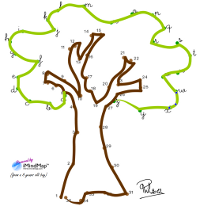
Dot to Dot puzzle with iMindMap

Discover another unexpected and out-of-the-box usage of iMindMap. Offer to your kids a great interactive application for solving dot to dot puzzles. It's a fun and educative way to introduce iMindMap to children before they start to draw mind maps.
Connect the dots, also known as dot to dot or join the dots is a form of puzzle made of a sequence of dots, labelled with numbers, letters or other symbols. In order to discover and reveal the final picture (outline) you must connect the dots with a line in the right order. Dot to dot worksheets are a fun way for kids to learn their numbers and their alphabet. It’s also an efficient way to improve hand-eye coordination. Connect the dots puzzles cover a wide range on fun themes and range in difficulty from preschool to grade school level. It’s possible to go beyond a standard numbering and propose to count by 2, by 5, by 10 or to count with Roman numerals. Teachers may also like to include them as part of their curriculum.

As you know, the digital world is growing at a phenomenal rate. This means that the coming generations of children will probably use less and less paper and might clearly prefer to work on digital devices. Whether we like it or not, it’s the reality and we must prepare ourselves and our progeny to cope with this change. This said, it would make sense then to look for dot to dot interactive websites or software applications that kids could use with a stylus or their fingers directly on the screen. Of course they exist and you may have to pay for it or support obtrusive ads online (check Google Play or  iTunes apps libraries for some examples). However, I have a better proposal, probably unexpected, but more creative and more flexible: use iMindMap software from ThinkBuzan.

iMindMap is indeed a mind map software. But it is also one of the most intuitive application for drawing art lines (branches) from dots (connection points), which is the primary and unique goal in a connect the dots puzzle. It’s a future-proof (and still evolving) application, delivering a well designed environment for touch screen and smart devices. Your kids like to play with the iPad or any other tablet or smart phone then have a look at iMindMap Freedom, the latest product from ThinkBuzan (access all your maps wherever you are). Why not introduce iMindMap interface to children with this fun and educative exercise? I am sure they will amaze you with their facility to interact with the device and with the software in order to solve the puzzle. Later you will have no problem to move forward with the creation of true mind maps. Here is the one created by my 8 years old son.


All you have to do is to find a suitable dot to dot worksheet. Thousands of fun and educative resources are available online (check useful links here below). Then proceed with the following:
  • Open “Dot to dot” iMindMap template I created for you (click here to download from Biggerplate) 
  • Select freehand branch tool (Home->Draw->Freehand) 
  • Switch off SmartLayout (Format->SmartLayout settings) 
  • Check that the graphic format of your branches is set to “Fun” or "Dot to dot" (Design->Graphic ->Fun) 
  • Set the zoom level (bottom right) below 50% (otherwise there will not be enough space between some pair s of dots for drawing a branch) 
  • Import (copy and paste) the dot to dot image you selected into the iMindMap environment (right click the white background and then paste) 
  • Enlarge the image so that it fits your screen (as large as possible) 
  • Drag the image so that the central idea (small single dot I created) is aligned with the first dot of the graph (e.g. the dot labelled with “1”) 
  • Centre the map on your screen (View->Fit map) 
Your puzzle is now ready. Offer it to the kid. Explain the rules, the goal and how to draw a branch between two dots. If you want to go further, you can prepare a multi-colours/multi-segments picture. Indeed, from any branch you can start another graph (with another sub-branch) using a different colour, and maybe using different symbols. Check this video and see how unexpected and creative it is to use iMindMap as a dot to dot interactive environment. I hope you will be able to re-create it without pain and have some fun with your kids. Do not hesitate to share your feedback.


Useful links for dot to dot worksheets

http://www.kidsrcrafty.com/dot-to-dot.htm
http://www.abcteach.com/directory/fun_activities/dot_to_dot/
http://www.activitypad.com/dot-to-dot.html
http://www.printactivities.com/ConnectTheDots.html
http://www.dottodotpuzzles.com/
http://www.connect-the-dots.info/

Thursday, March 22, 2012

Geography: A (mind) map of Belgium

With a mind mapping approach, your lesson is quicker and better assimilated. It however requires to respect a couple of important steps that will increase your chance to succeed. Using a concrete example, this article will explain to you how to use mind mapping in order to efficiently memorize a lesson. You will also learn what and where are Belgium provinces. Whether you created a mind map for preparing a presentation, summarizing a book or memorizing a lesson, the final result is far less important than the mental process that led to it. A mind map is a tool that can quickly become useless without good techniques. With a concrete example, this article will explain to you how to use mind mapping in order to efficiently memorize a lesson.

Define the purpose
Each mind map must be built with a purpose in mind. In the present example, the goal is to memorize how Belgium is divided in provinces, where they are located and what are their respective chief town. It’s a lesson from the 3rd year primary school program. This means that 8 years old students must learn by heart the name and the position of 20 elements on the map. Using a traditional approach, including intense and repetitive efforts, the child will finally remember the lesson. But for how long? There is no guarantee that the whole information captured will be recalled properly when needed. It all depends on the efficiency of the memorization process. With a mind mapping approach, the lesson will be quicker and better assimilated as well as more accurately recalled. In case of a lesson, the central idea usually represents the subject to be learned.

Work with the end in mind
At the very beginning of the process, there is no other choice than analysing the material which is given to you and which explains the lesson. If you want to create a mind map, you must extract the central idea  from the content as well as some topics for the first level of branches (Basic Ordering Ideas). Looking at the example of Belgium provinces, it’s very easy to build a mind map with a branch for each province and a sub-branch for each chief town.


But do you think this mind map is adapted to the initial goal? Does it provide a mean to remember the position of each element? Don’t you think this mind map is a bit boring to be easily memorized? Beyond the content, you must also think about how to draw a remarkable mind map. The first version of the mind map does not include a spatial representation of Belgium and it is also very poor in colour and images. With a bit of creativity, it’s possible to imagine the Belgium map split by provinces, each of them linked with a branch to a central idea. Each province area can also be filled with a colour in order to better identify and remember them among each others. 

If you are interested in discovering more why colour matters, you can visit ColorMatters.com, a nice website about the subject.

Personalize with storytelling
If a mind map has a purpose, it has also a beneficiary (one that benefits from the mental process of mind mapping). It can be the author him/herself or a different person. Here in the example, the ultimate user is the student who must learn the lesson. If you draw the mind map for someone else (like I'm doing), this person must absolutely be involved in the whole process, from the very beginning. Selecting colours, defining keywords and adding images must be the result of personal choices. The memorization process starts with the creation of the map and is reinforced during its completion. Once the mind map is completed with the keywords (provinces and chief towns), it’s important to enrich even more the map with images, colours, rhythm, spatial elements or with any other memory or mnemonics techniques (visit Mnemotechnics website for some of them). One way of selecting images that will fix the information in the brain is to grasp visual assets from stories that the mind map user would tell you or invent about the keywords used. I did the exercise with my son who gave his personal interpretation of the different elements. Here are a couple of sentences that came out of the discussion:
  • Luxembourg is the province we cross when we go to France. Arlon is the city where “cat” aunt is living;
  • Liege (cork in English) is the material used for wine bottle cap;
  • Gand (glove in English) is what your hands need when it’s cold outside;
  • Bruges has a famous football team;
  • Namur includes the word "mur" (wall in English);
  • ...
By analysing the content, the mind mapper may discover other characteristics that are worth to be highlighted. For example, my son noticed that some provinces and chief towns share the same name. Therefore, I added a "2x" logo where it applies. All those visual and emotional associations multiply the chances to remember the whole lesson as it should be. All combined, the final result is this lovely creative and inspiring map of Belgium.

Creative mind map of Belgium
Practice and memorize the mind map
Numerous studies show that physical or emotional stimuli essentially creates the same physiological condition that heightens memory retention. It’s obtained by exciting neuro-chemical activity that affects areas of the brain responsible for encoding and recalling memory (Source: Wikipedia). The emotional content and state (mood) are also very important to consider because it can have a powerful impact on memory (see Fiona McPherson article: The role of emotion in memory). Practically, the best way to memorize the lesson and the related mind map is to decompose the process in 3 main activities, ideally executed at different moments.
  • Build the mind map: create, enrich, review, update the mind map. Talk about its content, about its format, about its appearance. It absolutely essential that you enjoy the process and deliver something you like. 
  • Re-explain the mind map: without looking to the map, tell a story about what the mind map contains, why it's built that way, what are its specificities, what are the images that have been added and their meaning. According to your preferences, you can re-draw the map, speak out loud or even play with your hands to reproduce virtually the mind map in the air. Check what you missed and adapt the mind map if needed. 
  • Test your knowledge: several times before the exam (before sleeping, during your breakfast, in the bus, ...) take a look at your mind map and check whether you still master it, meaning that you can perfectly recall each branch and sub-branch as it should be. You can also ask someone to simulate an exam in order to test your memory and your knowledge in a different context. 
Recall information
According to the levels-of-processing effect theory suggested by Fergus Craik and Robert Lockhart, memory recall of stimuli is also a function of the depth of mental processing, which is in turn determined by connections with pre-existing memory, time spent processing the stimulus, cognitive effort and sensory input mode. In other words, the ability to recall correctly and efficiently the lesson totally depends on what happened during the mind mapping process. The mind map itself is not enough.

Many scientists believe that nothing is ever entirely forgotten. With the correct trigger you can remember things you thought to be long forgotten. When recalling the lesson, the first trigger is to remember the purpose and visualize the central image as well as the different branches that radiate from it. The second trigger is to select a specific branch corresponding to the piece of the map you must complete. Think back the direction of the branch, the way it is curved and colorized, which illustrations you added at the end and on top of it. With all those elements back in mind you should be then able to recall the ultimate piece of information you were looking for, the keyword written on the branch.

Learning styles
I'm not an expert in the domain, but I must at least admit that my article does not fully apply to all categories of learners. One of the most popular models of learning styles is Fleming’s VAK/VARK theory. This theory separates modes of learning into four categories: Visual, Auditory, Reading and writing, and Kinesthetic. Even though VAK is one of the most widely known learning styles, many different models have been discussed in the literature. What is important to note here is that the technique I’m teaching mainly focuses on the visual dimension. I’ve already started to work on studies that will demonstrate how mind mapping techniques can also be used for other categories of learners.

Willing to hear from you
Don’t hesitate to test the technique and share your experience here. I’m also interested to read professional’s feedback (teachers, psychologists, ...) and get their recommendations to go further in my studies. I plan to post more articles about successful mind mapping experiences. if you are interested, we can easily stay connected via different channels:


For those who are interested in the iMindMap file, it is uploaded on the Biggerplate platform and accessible on http://www.biggerplate.com/mindmaps/7RmsW9LA/philippe-packu-how-to-memorize-a-lesson-belgium-geography 

Wednesday, March 7, 2012

Watch my map and map your watch

This article illustrates again how flexible iMindMap software is. Discover new creative mind maps and a unique interactive clock. Use this nice interface for delivering exercises when teaching how to read a clock. For young people and kids, a computer is not a new technology. It’s just a technology because they are born with it and it’s part of their life from the first day. This is not surprising if kids take more pleasure in doing their homework on a computer. My son is not an exception and I will show you in this article what kind of computer based environment I have developed in order to teach him how to read a clock. 

Some people forget (or never learn) how to read an old-fashioned, mechanical analogue clock. My son is currently learning it at school and has homework about it. Although it seems obvious, he has still some difficulties to tackle all the possible cases. I looked at the lesson he received. No much to say about it except that it is not very colourful and creative. When we were doing the exercises together, I also saw the limits of working on paper. I had to use many times the eraser and duplicate (redraw) several times a blank clock.

Learning how to read a clock is a typical case where you can use a tool to stimulate children attention and pleasure. You can find many books or small toys that propose to play with a physical support with needles. It’s more efficient than a sheet of paper and a drawing. You can scene as many cases and you want.


I could not find back such a toy at home and I was not really motivated to build it myself. I was wondering instead if I could not find websites that were providing a similar support in a digital environment. But before I even started to search for it, another idea came to my mind. Why not do it with iMindMap, the mind map software.

Looking back to a previous post I wrote about creating a timeline, I remembered that it was possible to create sharp lines. I was even more convinced when I thought about graphs that my peer Hans Buskes usually draws with iMindMap. Indeed, the short and the long hands are simply two straight branches radiating from the centre. If you add a clock in the background, you get an interactive clock. Children can play with it on the computer indefinitely. 

In order to package both theory and exercises all together, I also created two additional mind maps. The first one is about reading the hours. On most clock faces, there are two hands, and one is longer than the other. The short hand tells you what hour it is. Here is a creative map showing the different positions of the clock hands. 

How to read a clock (hours) - mind map

The second mind map is about minutes and more specially quarters of hour. There are twelve numbers on the clock face, and each number represents five minutes. Beginning at twelve, count five minutes for every time the long hand passes a bigger number. If the long hand is on the 3, it is 3 x 5, or 15 minutes past the hour (one quarter). In the meantime, the short hand is also moving proportionally between two hours (a quarter of the distance between 2 numbers). If the long hand is on the 6, it is 6 x 5, or 30 minutes (half an hour) and the short hand is exactly between the two numbers. When the long hand move on the 9, it’s 45 minutes past the hour (three quarters). If the long hand is on 12, it’s the exact hour and the small hand is exactly showing the number. 
How to read a clock (minutes) - mind map 
If you need to know the time more specifically, some clock faces have four markers between each number. Each marker signifies an additional minute. If there are no markers, look at where between the numbers the long hand is pointing. 

So, on top of the theory, I also prepared some exercises you can do with your kids. It’s basically a list of empty clocks where both short and long hands must be adjusted in order to reflect the time indicated below. In order to proceed, the user grasps one of the branches end point (blue circle) and move it wherever it should be. Once completed, you can review, correct and comments. You can also change the value in the different text boxes in order to create additional exercises. Here is a video of the exercise in action. 


As you can see, it’s another out-of-the-box usage of iMindMap. No need to search the web for specialized websites, because with a bit of creativity, it’s possible to do it with this unique mind map software. I particularly like this approach because it creates again strong associations in my son’s head. Using colours and branches re-enforce the message for a better memorization and recall. He also likes to play with the computer and therefore homework becomes more pleasant. Being able to move the clock hands wherever you want, as much time as needed, is less restrictive than on paper. The human-machine interface has not been specifically designed for that purpose but it works fine. I hope you will enjoy this quite innovative handbook on how to read a clock. Do not hesitate to tell me what you think about it and how it works for you if you decide to test it. 

For those who are interested by the iMindMap file, it is uploaded on the Biggerplate platform and accessible on http://www.biggerplate.com/mindmaps/4QQcVcxR/philippe-packu-how-to-read-a-clock-creative-handbook