Version française
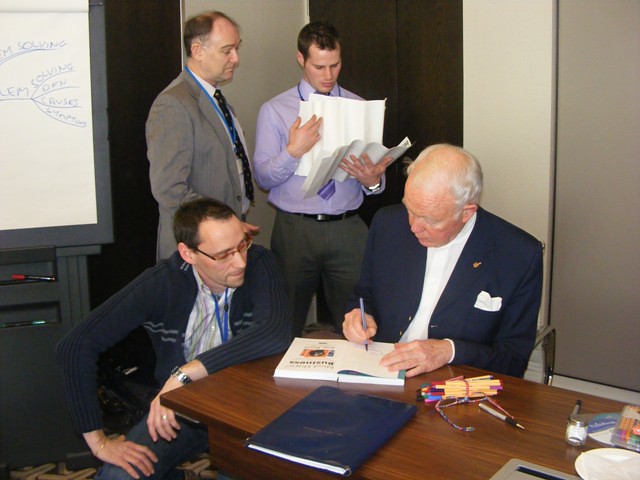
 Hello world! July has been rich in emotion again. I had the chance to participate in the ThinkBuzan Licensed Instructor program for the second time, this time in Amsterdam (The Netherlands). The group of participants was fantastic, full of energy with this amazing desire to learn and make the world revolve. Tony Buzan was there as well and I had the chance to exchange some words about my work.
Hello world! July has been rich in emotion again. I had the chance to participate in the ThinkBuzan Licensed Instructor program for the second time, this time in Amsterdam (The Netherlands). The group of participants was fantastic, full of energy with this amazing desire to learn and make the world revolve. Tony Buzan was there as well and I had the chance to exchange some words about my work.
 |
| ThinkBuzan Licensed Instructor (TLI) program - Amsterdam - July 2011 |
For me, this participation was very special. Indeed, I was there as a guest presenter. I was invited by Chris Griffiths (CEO) and his team to talk about how to be creative with iMindMap 5, the mind map software from ThinkBuzan.
 |
| Philippe Packu presenting at TLI program Amsterdam |
Just a couple of months after becoming a licensed instructor myself, I managed to trigger some curiosity and create some interest on the net about creative mind maps elaborated on a computer based application. This invitation to the TLI program in Amsterdam was the occasion to share my experience. More specifically I wanted to give some keys to the future instructors that could unlock their creative potential with software.
We know or we are told that a good usage of images, colours, dimensions in mind maps will better support both the generative thinking process and recall mechanism. It’s also very important for presentation. But you do not draw a mind map on a screen like you do it on paper. Although computer interfaces are evolving at the speed of light (see how many tablet PCs were launched this year), there is some work to do in order to make your mind map unique and appealing with iMindMap.
I’m not an expert in creativity in the sense that I did not study the domain scientifically . But what I can share with you are some details about the mechanisms I have identified for myself.
It’s all about re-use and re-invent. In your brain database, you can dig and find millions of associations recorded from past experiences. What you saw, what you heard, what you tasted, what you touched, what you smelt, ... But then, it is not written in stone. Everything can be questioned. Being creative means essentially creating new connections between things that apparently were not supposed to be connected.
 |
| Mind map under the form of a tree in iMindMap 5 |
For example, iMindMap is supposed to create a map looking like a star or a flower with branches around the central idea. When I did this map under the form of a tree, I just imagined a new connection between the nice and colourful shape of a tree and iMindMap. I had to invent and provoke this new connection. How do you get there? It’s a personal decision, it’s mindset shifting. The idea might come when you are not expecting it but your brain must be ready in the seeking mode to catch the idea when it pops up, otherwise you will miss it. In my case, I had decided to change the shape of a standard map using the freehand tool but I had not yet decided what to draw. One day, I was looking hand drawn mind maps on the net for another purpose and I discovered very nice drawings using trees. Boom bada boom, connection made! I knew what my next attempt with the tool would be without even knowing if it was possible.
See more about this mind map in my previous post Can I become a source of inspiration?
See more about this mind map in my previous post Can I become a source of inspiration?
Having the idea is key but making it real may appears even more complex. Be creative means conviction, courage and determination. Believe in yourself and in what you are trying to achieve and have the courage to go up to the end. Try, try, try, ... Do, undo, re-do ... Break, build, cut, combine, ... until you see your idea becoming a true reality.
Unfortunately, we are also limited by our knowledge in techniques and tools that are supposed to assist us when realising the idea. iMindMap users might feel that it is very difficult to draw an image with the Sketch tool. But don’t you have access to much more powerful office applications that would do it for you in one or two clicks? Don’t stay within the box, go out-of-the-box of iMindMap. The tool has primary been designed for mind mapping, not for drawings. Creating new connections and associations with other well known software can clearly boost your creativity. Acquiring some skills in design is also an asset.
Look at this example. A user of iMindMap is disappointed by the visibility of the central idea label displayed on top of a central idea image. I agree, it is sometimes difficult to read. One of the ideas would be to implement in iMindMap all the features allowing the drawing of a rectangle around the text, to fill the box with colour and to create a transparency effect. Because it is not the primary objective of the tool to offer such an extensive formatting feature, it may take a while to get it there. But what about simply using Microsoft Powerpoint (or equivalent for Mac users)? So easy to get nice box effects with transparency. Much more than what iMindMap would ever offer. See it in action on the following figures.
 |
| Same label with text box effect added with Powerpoint on the central idea image |
 |
| Default label on central idea image |
If you want to be creative or just be able to do things that do not appear to be possible, don’t stay within the box that is given to you, explore and connect with the outside, go out-of-the-box.
My blog is all about that, giving you the resources for going further in your quest. Whether it is for business or personal challenges, I can help you to go beyond your limits with iMindMap.